Courses pile up
Saved learning does not automatically become a skill you can use.
Visual planning without the clutter
Organize what you want to learn, build, improve, or change. Capture loose thoughts, remember what matters, track actions and notes, then revisit the path without creating another overwhelming productivity system.
Free core product. No forced AI. Export your data whenever you need it.
Why plans get messy
Courses, ideas, projects, personal goals, reminders, notes, todos, and real commitments often end up in the same list. The result is more organization work—not more clarity.
Saved learning does not automatically become a skill you can use.
Ideas, tasks, and long-term plans mix until the structure stops helping.
Soft goals and real deadlines get treated like the same kind of pressure.
Checking a box is not always proof that something was learned or completed.
The Minty Path method
Growth Paths give shape to the bigger picture. Companion tools help you capture, remember, act, take notes, and understand your time.
Use Inbox for loose thoughts, tasks, links, and ideas before they have a home.
Choose one Primary Growth Path, then keep other goals Active, Paused, Completed, or Archived.
Use branch Todos, notes, statuses, dates, and Focus to make the next step obvious.
Add one-time or repeating reminders that can stand alone or link to branches.
Use Focus, notes, dates, and Time Blocks to decide what deserves attention next.
Attach Proof when evidence matters, then find projects and results again in the Proof Library.
Growth Paths
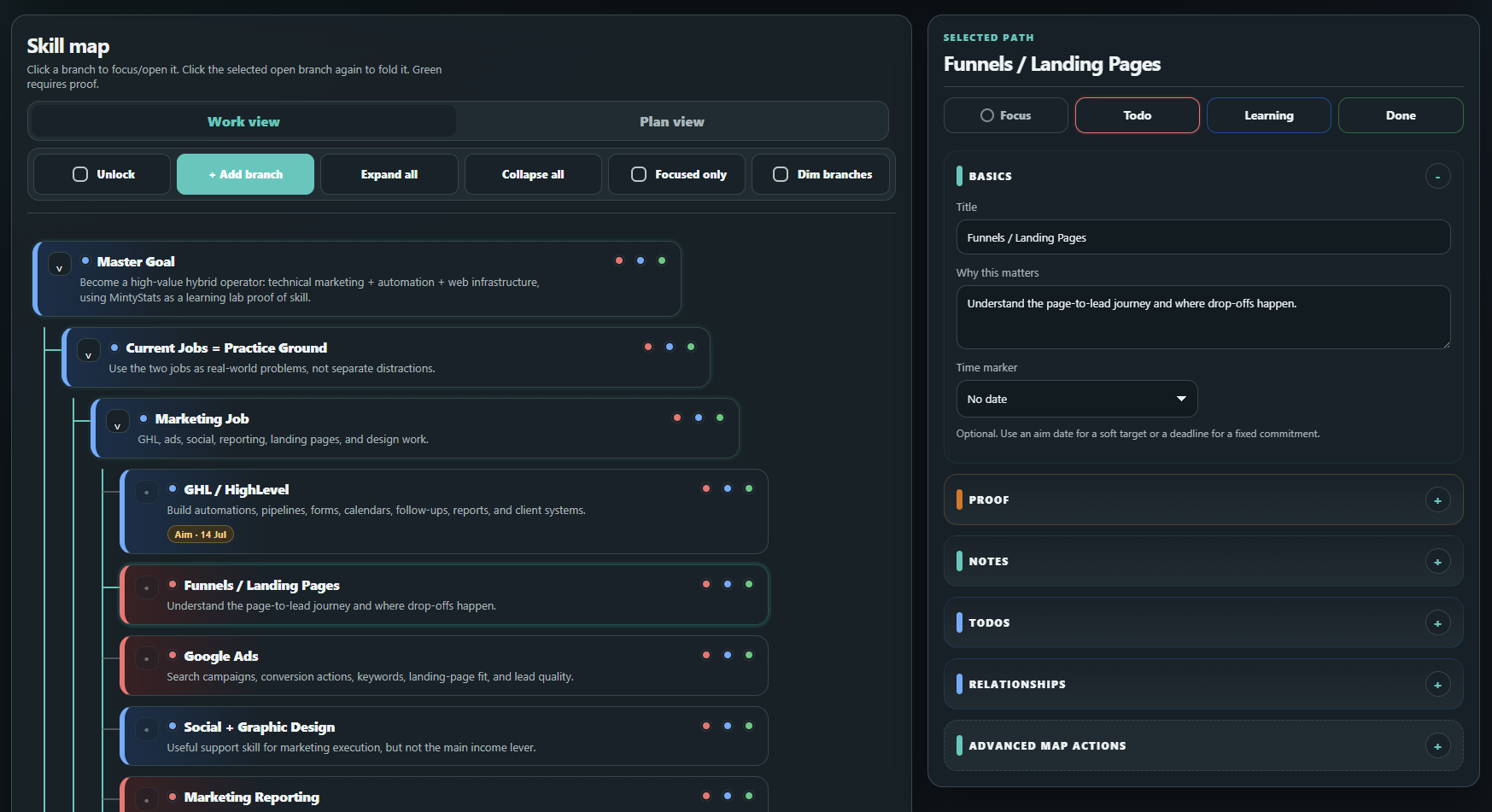
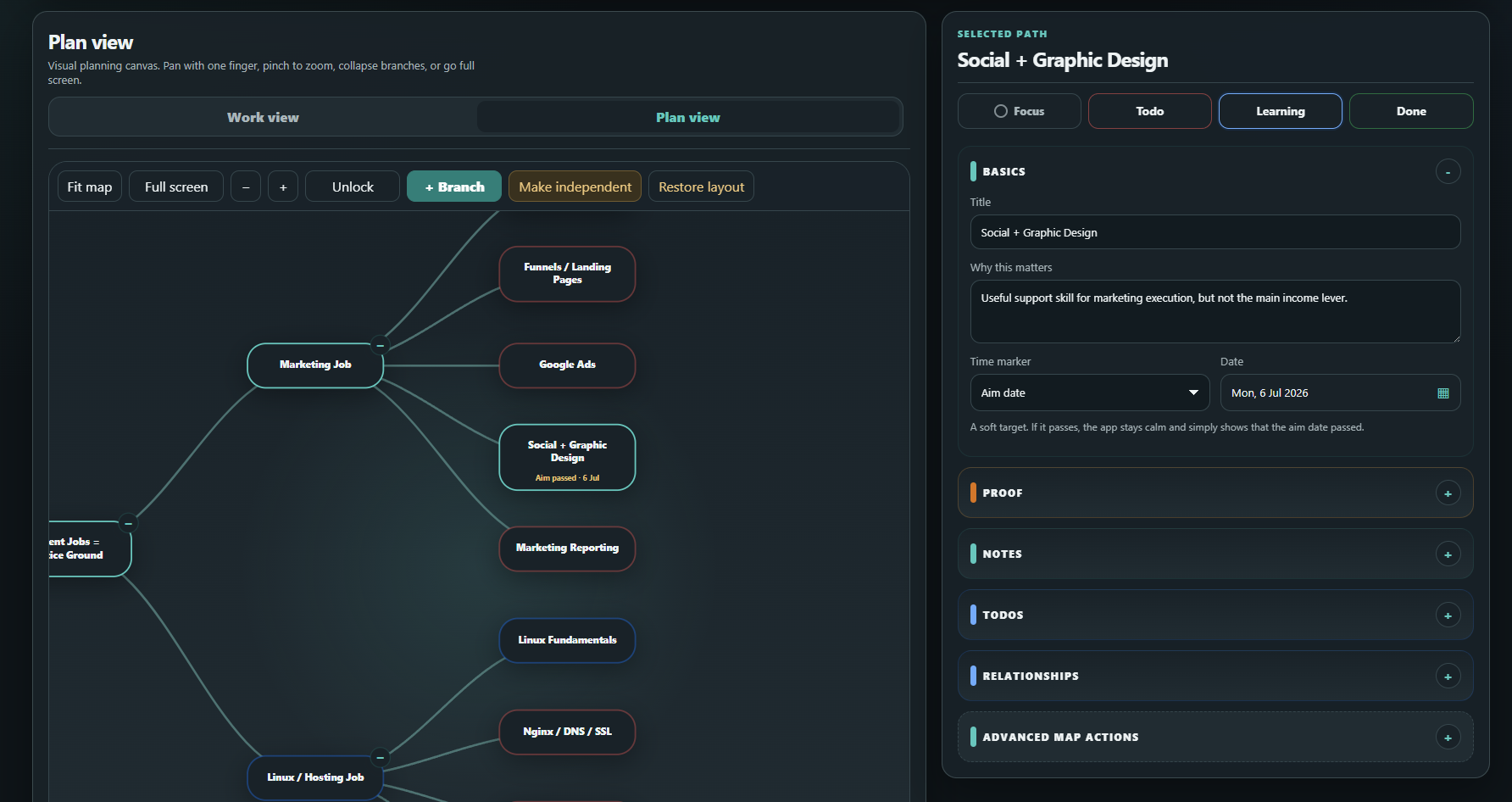
Work View handles the practical branch details. Plan View helps you understand and reorganize the full structure.
Calm by design
What deserves your attention now—not everything that matters eventually.
A soft target for work you would like to reach around a certain date.
A fixed commitment with a real consequence if the date is missed.
Something tangible that shows the work became real.
Start your way
Use any AI assistant with the Minty Path prompt, choose the depth, then preview the CSV before creating your map.
Build one Growth Path from the main branches already in your head.
Browse by category, preview the branches inside, and reshape a practical starting structure around your own goal.
Convert lists, cards, checklists, comments, attachment links, and due dates with a preview first.
Useful for real life
Connect skills, projects, credentials, responsibilities, and proof of work.
Turn courses and resources into deliberate practice and visible capability.
Separate product, marketing, operations, learning, and evidence without losing the relationship.
Map the gap between current experience and the role you are moving toward.
Give home, health, decisions, projects, reminders, routines, and responsibilities distinct paths instead of one giant board.
Keep direction, next actions, dates, and important context connected during a transition.
Common questions
Minty Path is a personal organizer built around Growth Paths. Growth Paths give goals, skills, projects, and life areas a visual structure, while Inbox, Reminders, Todos, Notes, and Time Blocks help you follow through.
No. Plan View gives you a mind-map style overview, but Minty Path also includes Work View, branch status, Focus, Aim dates, Deadlines, Reminders, Todos, Notes, Inbox capture, Time Blocks, relationships, imports, exports, and proof tracking.
Not primarily. Minty Path can hold Todos, but the main idea is structure first: know what a goal contains, what matters now, what needs remembering, and what has actually moved forward.
A Growth Path is one dedicated space for a goal, project, skill, responsibility, career direction, or life area. Branches break the path into meaningful parts so the subject becomes easier to understand and act on.
Inbox is quick capture. Use it for loose ideas, tasks, links, or thoughts that are not organized yet. Once an item is linked to a Growth Path or branch, it leaves the open Inbox and becomes part of the system.
Build something useful, not perfect
Create a free account, choose one Growth Path, and add Inbox, Reminders, Todos, Notes, or Time Blocks only when they help.